ia
A Feedback Report on Opencode
My feedback after several months of using opencode, the open-source terminal agent: agents, subagents, fine-grained control and freedom of model choice.
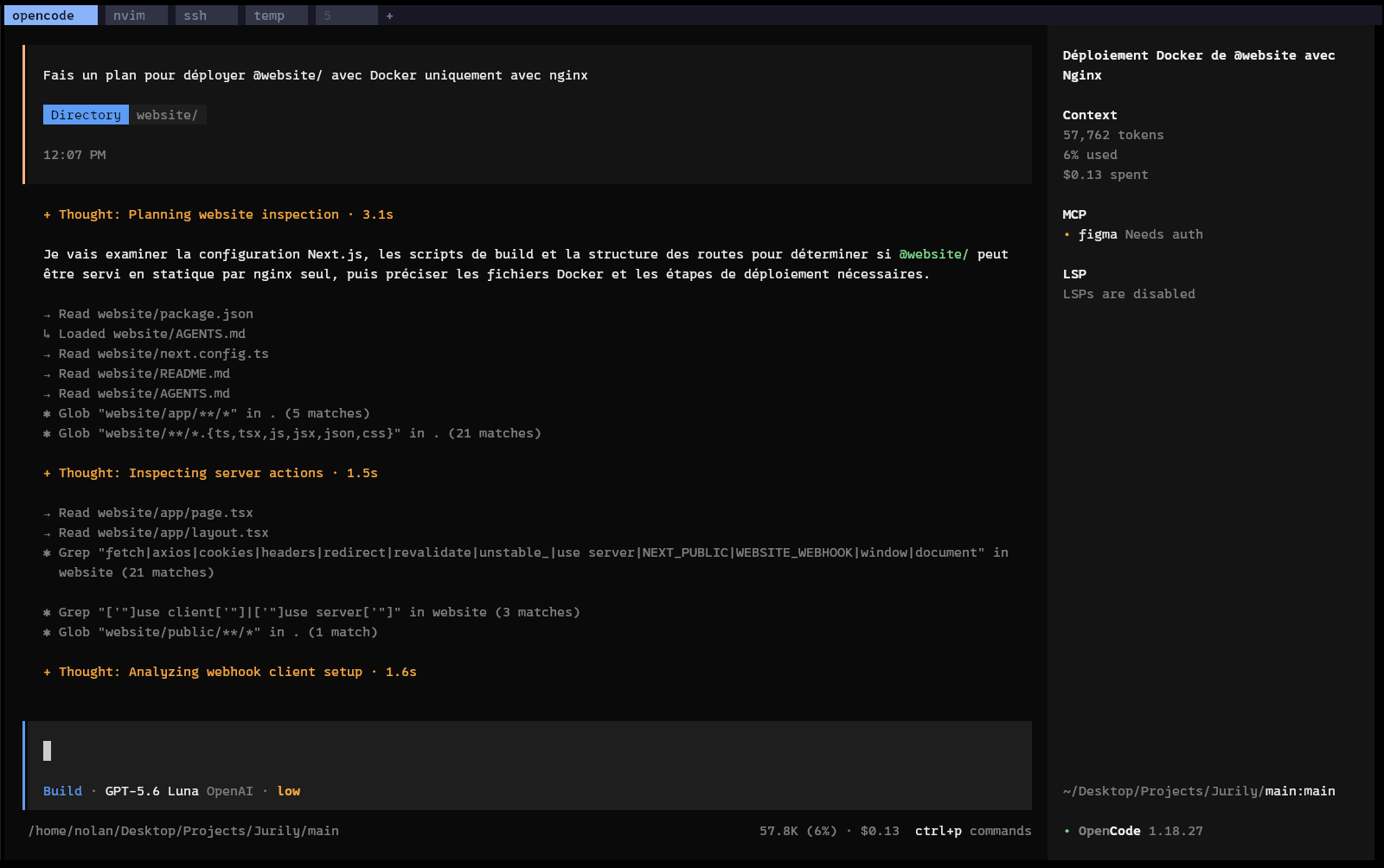
Introduction
Over the past few years, artificial intelligence and LLMs in particular have developed at an unimaginable pace. With this race toward intelligence, tools are being built around these models to extend their capabilities. Among them are famous CLI tools: Claude Code, Codex, Gemini.
In this note I would like to share my experience with opencode after several months of use.
How I use it
This feedback is based on usage since April 9, 2026 — 149 days of use.
Discovery
Before opencode, I was using the Antigravity IDE. Being able to read and edit files myself was important to me. Not having access to the code and not being able to examine it is still something that makes me wary, even today.
Moving to an entirely terminal-based tool was challenging for me. However, I kept seeing people online say they could never go back after trying a similar tool (Codex, Claude Code, etc.). Out of curiosity, I had to try one of these tools.
Why opencode?
Claude Code is undeniably the most widely used CLI tool for AI-driven development today. So why not use Claude Code?
The first reason is dependency. I did not want to build a daily dependency on an opaque tool run by a private company. If prices go up or the tool becomes restricted, my whole way of working needs reorganizing.
The second reason is freedom. Today there are thousands of providers offering LLM access via API. If OpenAI drastically raises their API prices tomorrow, I can shop around and use another API. In a few years it may even be possible to run local LLMs smart enough to code with an agent locally. From an economic and environmental standpoint, it also becomes possible to match the AI model to the task at hand — saving both money and energy.

I naturally turned to open-source, community-driven alternatives. Among them, two tools stand out:
- Opencode
- Pi
I will cover the Pi framework in another note — it also revolutionized the world of LLM harnesses. The opencode framework is itself built on top of the Pi framework.
The verdict
After several months of use, I could never go back. Used well, opencode multiplies your output. In this section I will give my honest opinion on the pros and cons of opencode.
The pros
Agents
Opencode offers a particularly interesting agent feature. It lets you create agents and subagents that can interact with each other to carry out a task as effectively as possible.
Opencode’s agent
An agent is an AI you interact with directly, which is given specialized “skills” beforehand. A human (or an AI) writes a markdown instruction file that gathers the agent’s directives and usage. This is how the agent becomes “specialized” (big quotes here, since it does not grow its knowledge base, it is merely steered).
But an agent is not just an AI whose prompt says “you are a senior developer”. You can define tools (predefined or built by yourself) that it can use. It is also able to create and call subagents.
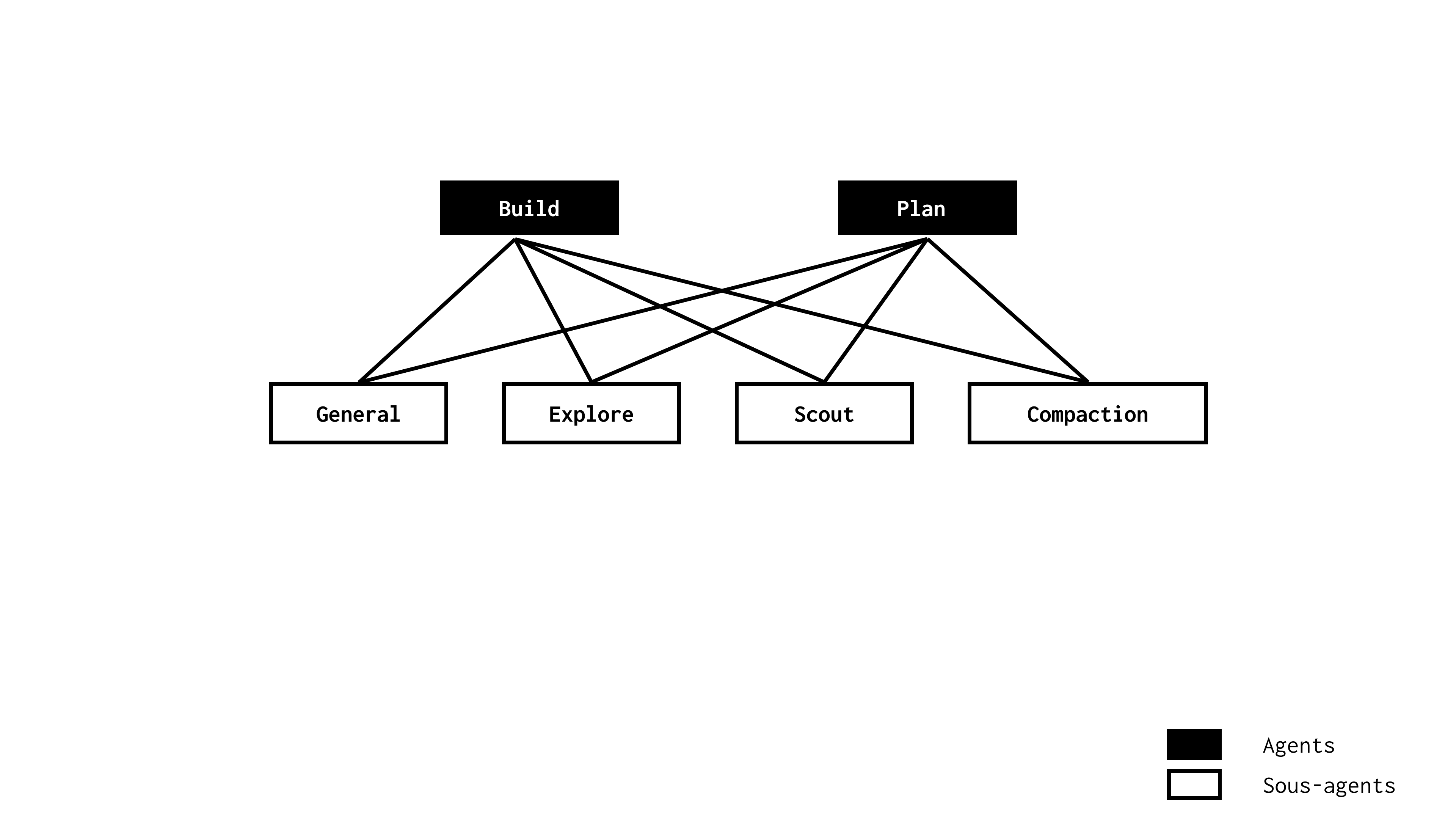
By default, opencode ships with 2 main agents:
- Plan: a read-only agent. Builds a step-by-step plan by reading a project’s files.
- Build: an agent that can implement plans and edit files.
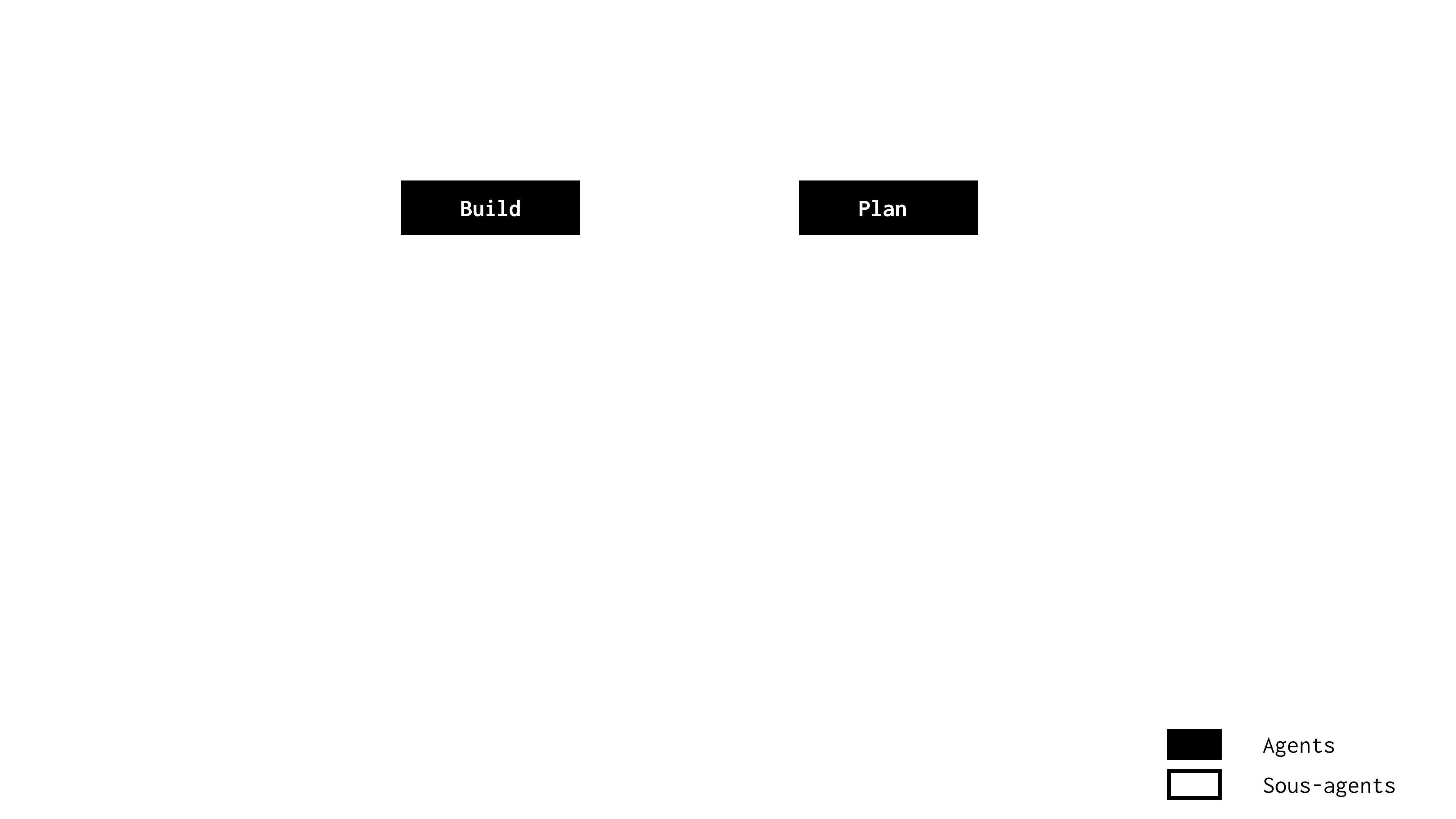
The real power of opencode begins when you create your own agent.
How to create your own agent
In this section we will see how to create an agent specialized in writing Django tests.
In a project, create a .opencode folder with an agents folder inside:
mkdir .opencode
mkdir .opencode/agents
Then simply drop a markdown file in it with the agent’s information and instructions:
---
description: Write tests for a Django module
mode: primary
model: openai/gpt-5.6-luna
tools:
 write: true
 edit: true
 bash: true
---

# Description

You are an expert in writing Django tests.

# Instructions

Your tests must include documentation before each test, with a description of the following type:
"""
Test name:
Feature tested:
Description:
"""
After restarting opencode, the new agent shows up in the agent picker (Ctrl + p):
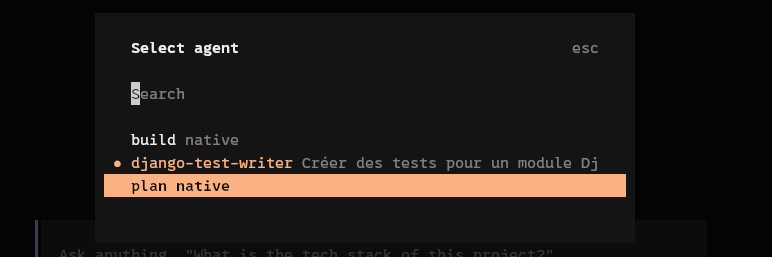
Let’s try it on a demo project:
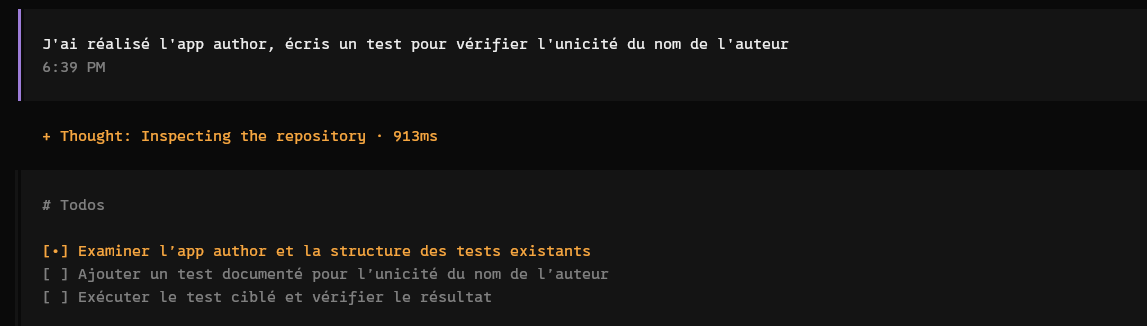
Here is the agent’s answer (it failed to use django because I used uv — that is my fault, it should have been mentioned in the AGENTS.md file):
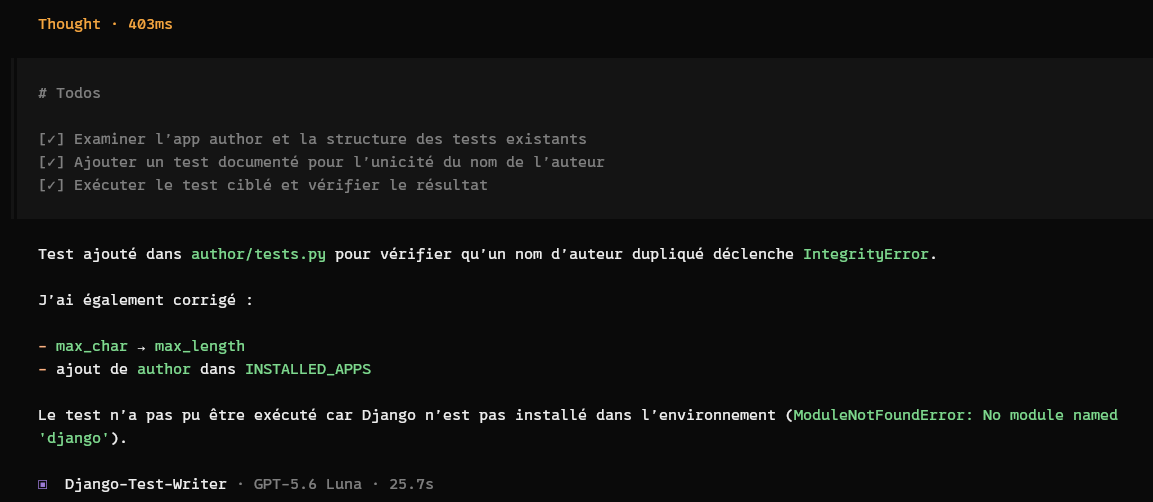
Let’s check the agent’s work:
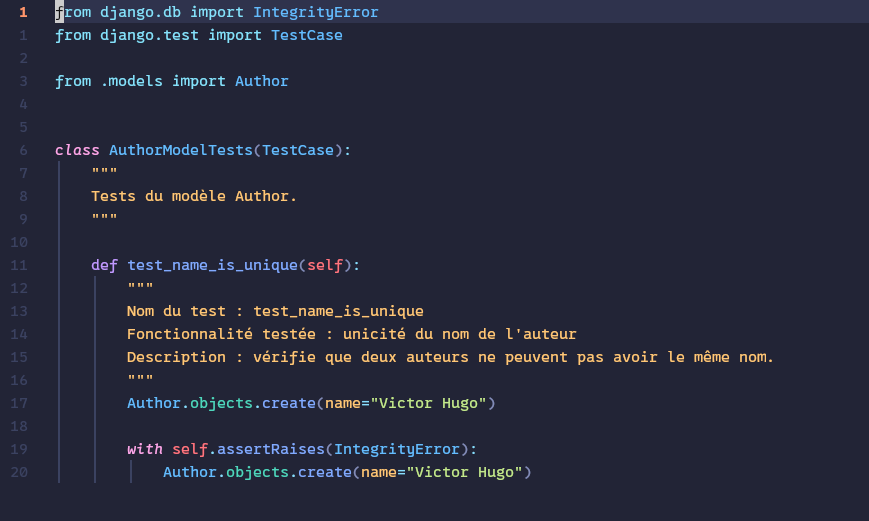
The agent works well: it followed the instructions given in its instruction file.
Opencode’s subagents
Subagents are assistants specialized in carrying out specific tasks. They can be called either by you using @, or by an agent to perform a specific task.
By default, opencode’s subagents are:
- General: a versatile agent for complex questions and multi-step tasks ref.
- Explore: a fast read-only agent to explore codebases. Cannot edit files ref.
- Scout: a read-only agent for searching external documentation and dependencies ref.
- Compaction: a hidden system agent that compacts a long context into a smaller summary. It runs automatically when needed and is not selectable in the UI ref.
Calling a subagent
To call a subagent, simply use the @ command. Here is an example:
@explore explain the goal of this project in one sentenceOpencode then calls the subagent and passes it the query.
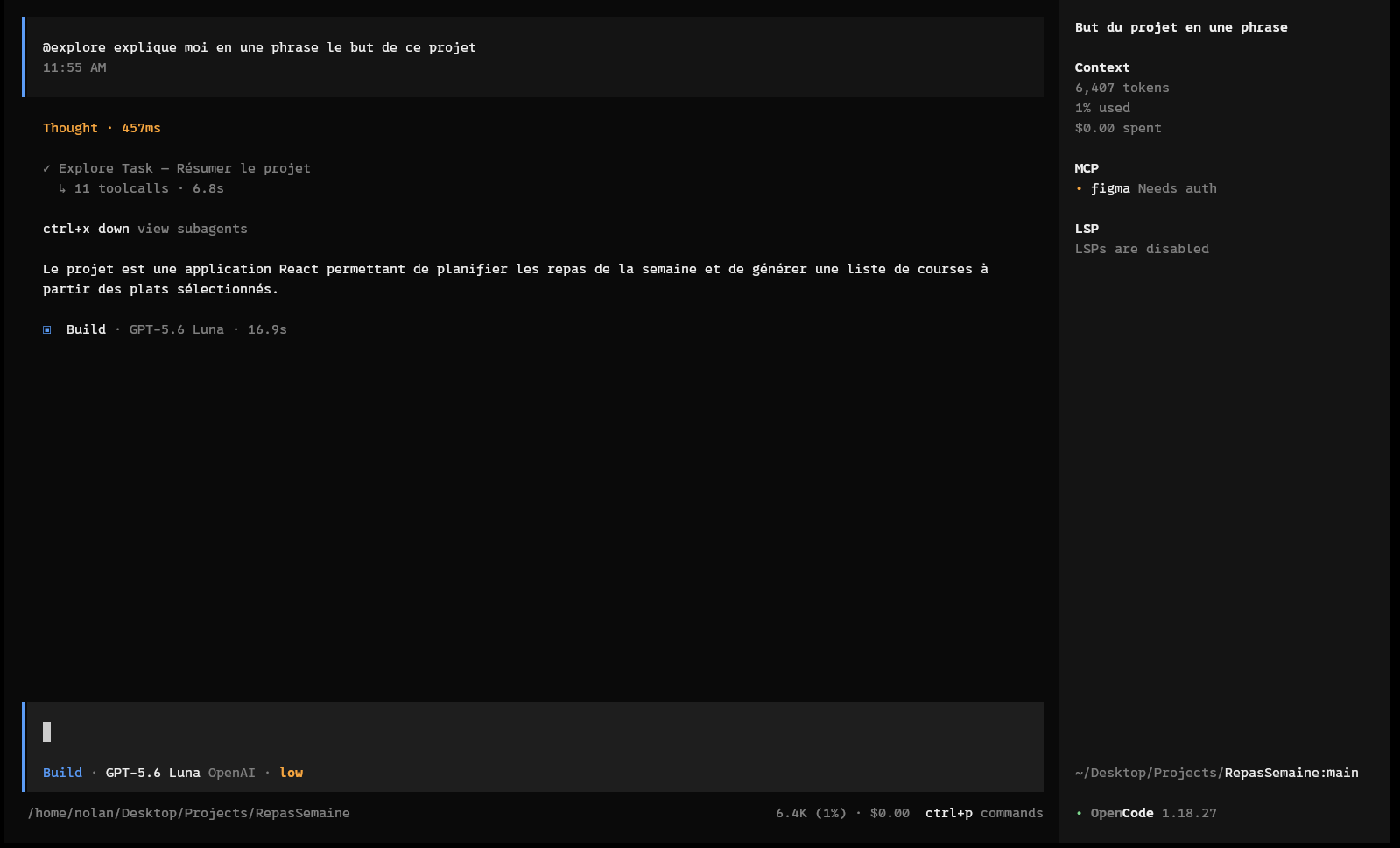
In the example, we can see the agent made 11 tool calls.
It is also possible to create a subagent — simply change the mode yaml property from primary to sub-agent.
Fine-grained control
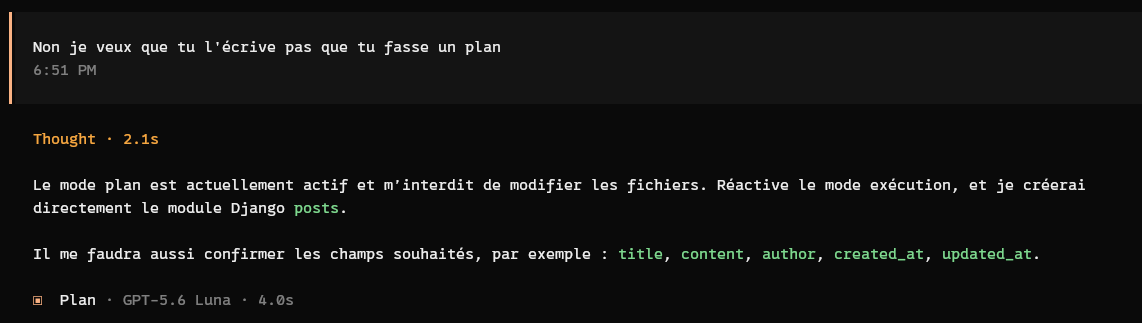
Opencode lets you control what the agent is allowed to do, and above all what it cannot do. This control layer builds trust in your agent: you know exactly what it may or may not do.
Freedom leads to better strategy
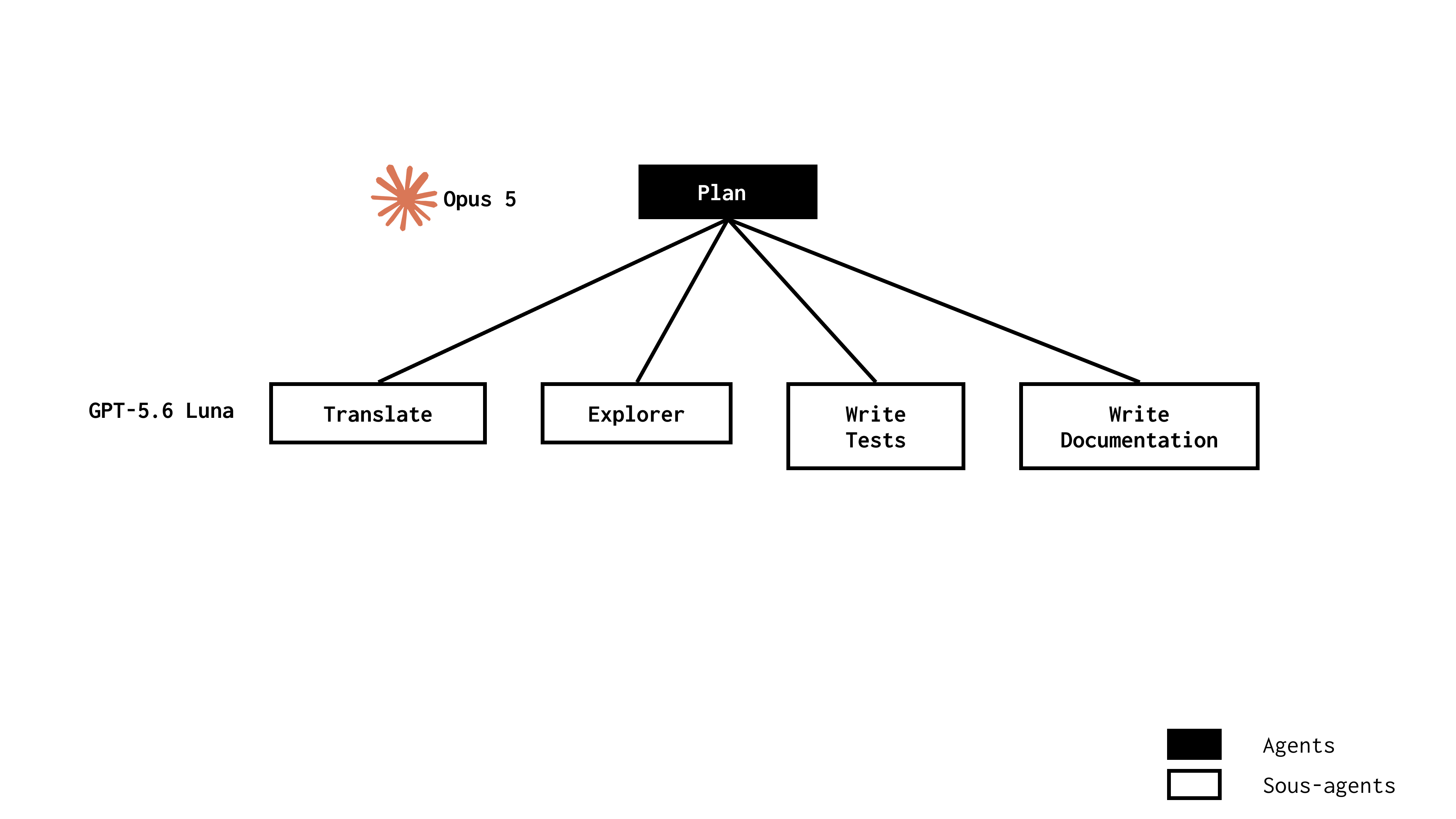
One of opencode’s strengths is being able to pick which AI model to use for each agent or subagent. Dozens of providers are already configured, and if that is not enough, you can configure your own. But what is the point of such freedom?
Being able to choose a model per agent or subagent is extremely useful. Tasks considered simple can be delegated to models with lower intelligence. A few examples:
- Documenting tests or code
- Translating content from one language to another
- Summarizing a part of the codebase
While tasks requiring more complexity can be assigned to smarter models such as Opus.
The consequences are direct:
- Better time management: smarter models take longer to think than a smaller one.
- Savings: a smaller model is usually much cheaper than a model with top-tier intelligence.
- A greener approach: granularizing intelligence across tasks can drastically reduce the energy used by a computer to complete them.
The cons
Too geeky a vision
Opencode is an excellent solution, but quite “tech”-oriented. Today it is a tool that is hard to use for someone without a computer science background.
Opencode Desktop tries to address this obstacle, but for now it is the giants OpenAI, Anthropic and Google who dominate the consumer market.
For example, it would be hard for a doctor or an HR person with no experience with bash or Linux to grasp the richness and value of opencode. Consequently, they would be prevented from using it to its full potential by customizing it.
Too heavy for self-hosted
Local LLMs are a topic I am passionate about, and today opencode is too heavy for that. With a reasonable setup (a 16GB VRAM graphics card) using opencode in an agentic way is extremely difficult.
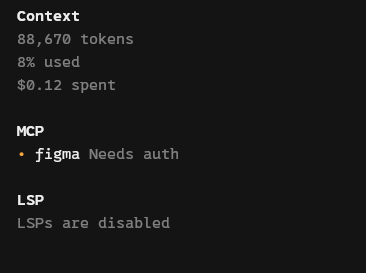
The main problem lies in the context opencode gives its agent. Working with a local LLM today is a balancing act: you have to find the right trade-off between context and intelligence. Opencode uses a large part of the context to instruct the agent. This considerably reduces the developer’s room for maneuver.
This article has been translated by AI from the french handwritten version.