Local LLM
Developing locally with AI
Why is it so hard to run an LLM locally? Between VRAM, context and quantization, here is how I develop with AI on a 16 GB graphics card.
Introduction
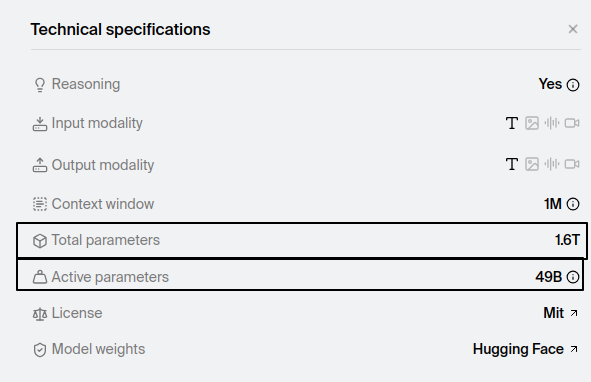
Recently, Apple announced the MacBook Pro M5 Pro and the M5 Max. Two computing monsters capable of running AI locally, with between 24 GB and 128 GB of unified memory. Yet even with such a machine, you could not run the DeepSeek model, which today requires 1.4 TB of VRAM.
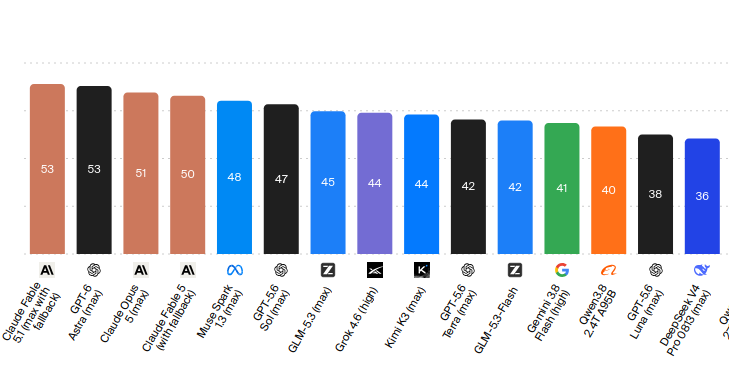
The worst part being that this model is excellent, yet only ranks 15th in the LLM intelligence index. (ref)
A question arises:
Why is it so hard to serve an artificial intelligence?
What does an LLM need to run?
From a hardware standpoint, an LLM needs two main components:
- a graphics card (with a lot of VRAM)
- RAM
What is VRAM?
VRAM (Video Random Access Memory), in plain terms, is the amount of data your graphics card can store and process. It is exactly the same as RAM, but dedicated exclusively to the graphics card.
How LLM inference works
Context
Understanding the full inference mechanism of an LLM is very complex. What matters is that the academic paper Attention Is All You Need explained in 2017 how the Transformer architecture made it possible to perform operations in parallel rather than sequentially on graphics cards. This is what gave rise to the GPT family of models, including the famous GPT-3.
How it works in practice
This section explains how an AI model runs locally on a computer.
1. Loading the model
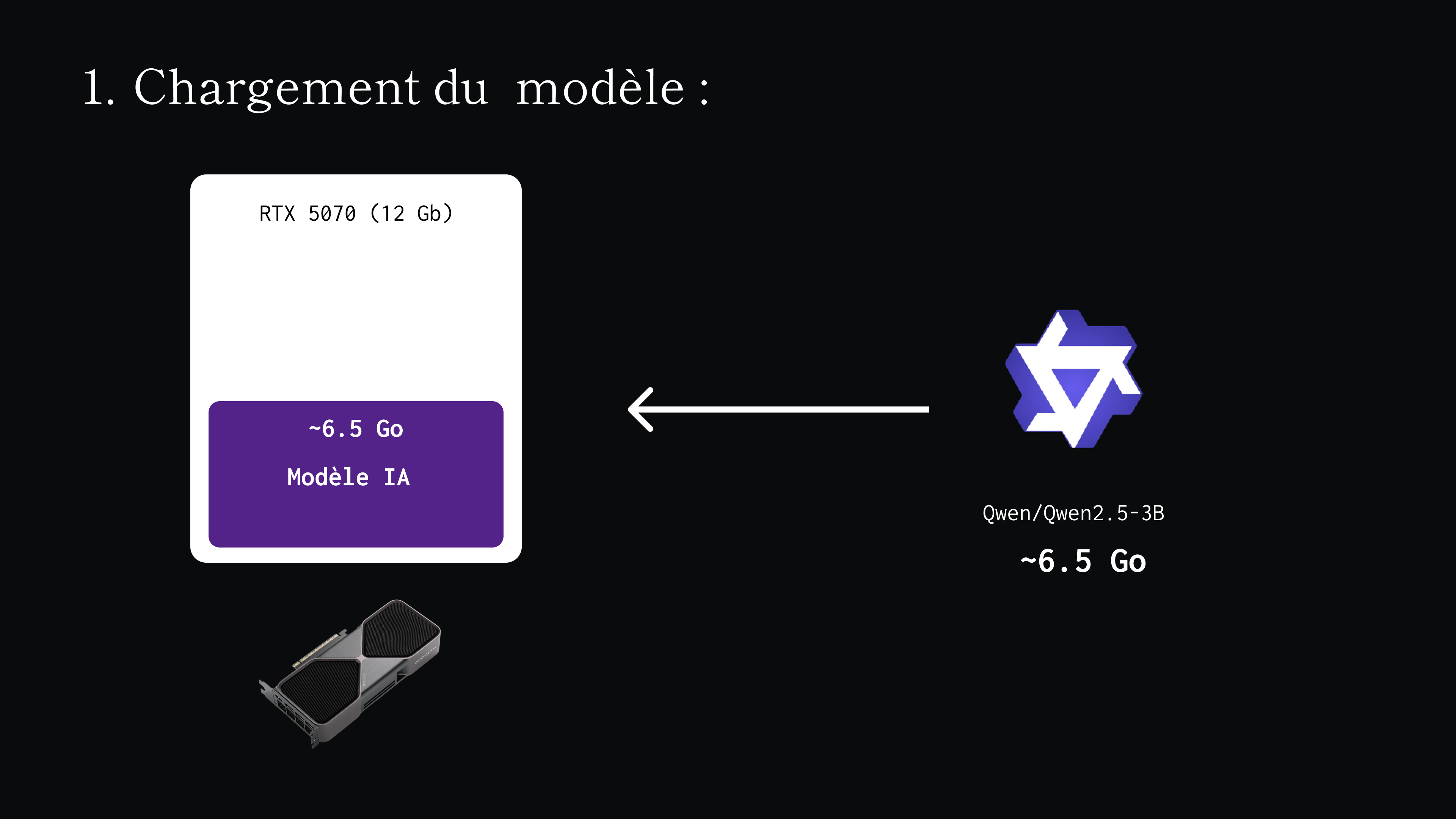
The model is a file usually with a .safetensors, .gguf or .pth extension, which represents the model’s weights (the model itself).
It must be imported entirely into your graphics card’s memory (your VRAM)! This is the whole difficulty of AI inference: the entire model has to fit on your graphics card.
2. Inference
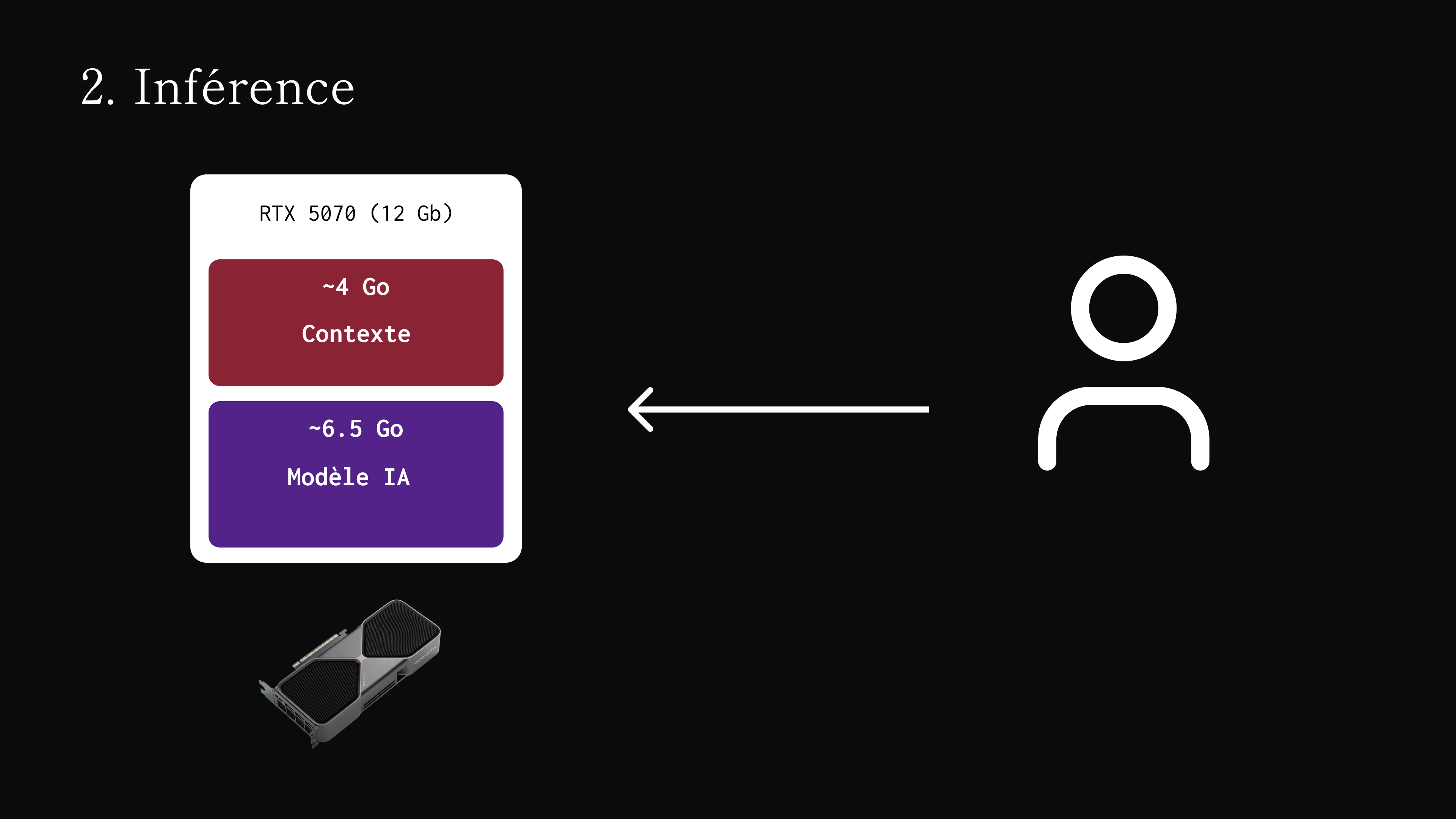
Your LLM is now in your graphics card’s memory and you can chat with it. As you keep talking with your LLM, another parameter enters the equation: the context.
What is the context?
The context is the amount of information an AI can store over the course of a conversation. For the LLM to remember previous messages (both the user’s and its own), they have to be stored somewhere.
Where does the context live?
The context must also live in VRAM. It is a parameter that makes the operation even more complex: we are already limited by the model’s size, to which the context is now added.
The bigger the model, the more expensive it is to store the context in VRAM.
| Model | Parameters | Average consumption per token |
|---|---|---|
| Mistral 7B | 7 billion | ~0.13 MB per token |
| Llama 3 70B | 70 billion | ~0.65 MB per token (five times) |
It is also important to understand that a conversation cannot be infinite. Every model has a context limit called the Context Window.
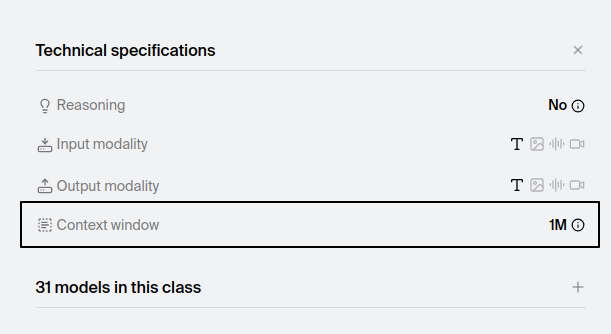
The principle is simple. When you start a conversation, the context is at 0 (or a few thousand tokens with instructions). Then, the more the user talks with the AI, the more the context fills up.
What if the context and the model exceed the VRAM?
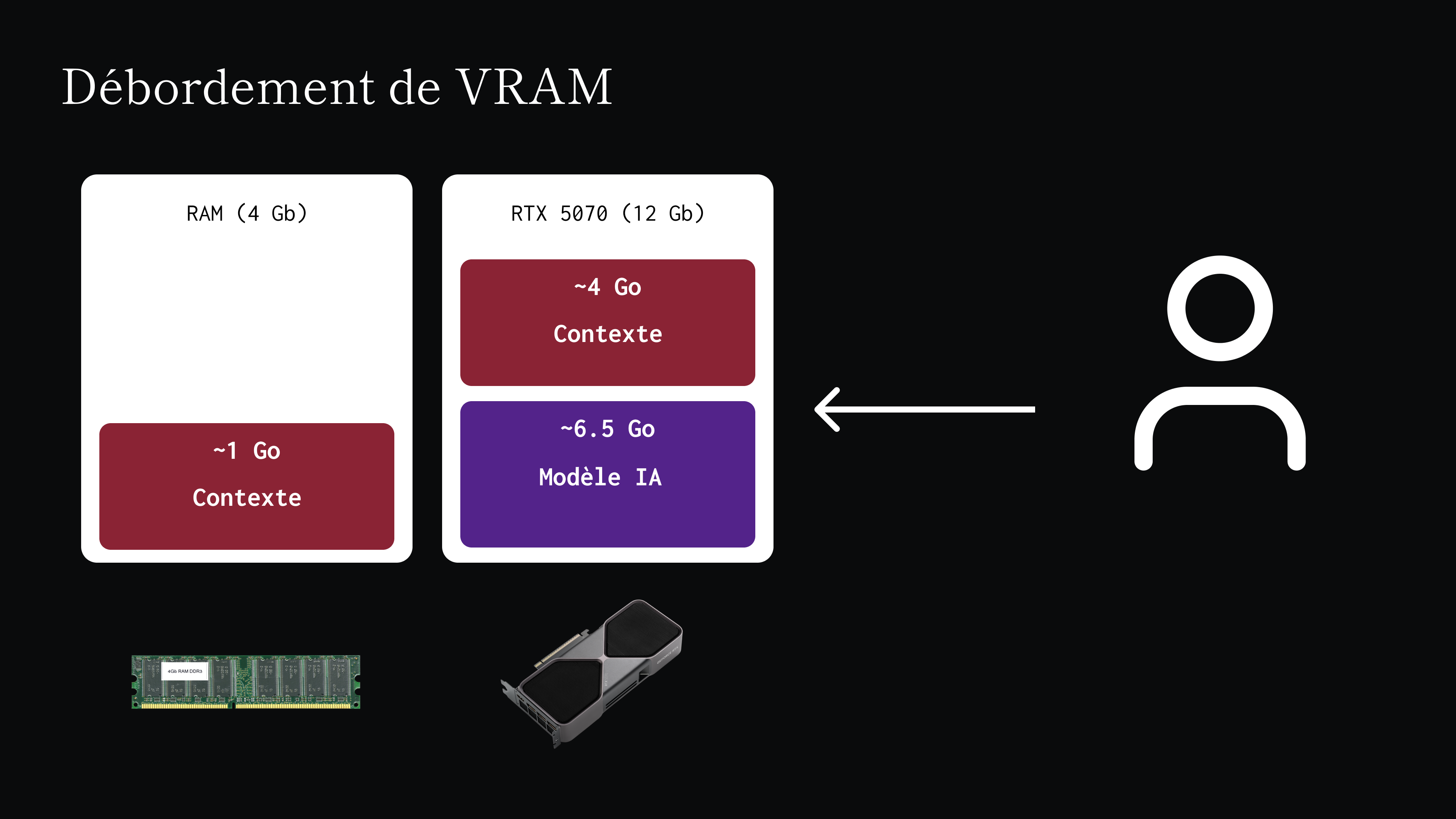
Earlier I mentioned that RAM is an important component for AI inference. When the graphics card can no longer handle the load of the model and the context, the excess data spills over into regular RAM. Unfortunately, this has a considerable impact on performance: RAM is much slower than VRAM, and generation performance drops. You go from 20 to 30 tokens per second down to just a few tokens per second.
The trade-off
As you may have understood, a trade-off is necessary. The two extreme cases are:
Intelligence with no memory
You have an extremely smart agent, but your context is limited to a few tens of thousands of tokens.
Result: unusable intelligence, because the slightest complex task requiring reasoning or research will exhaust the existing context.
The chatty simpleton
You have a very unintelligent agent, but it has a gigantic context of over a hundred thousand tokens.
Result: an agent that can think for a long time, but that technically is not smart enough to complete a complex task.
The best trade-off
It all depends on the tasks the LLM performs. You have to find the sweet spot between a usable context and sufficient intelligence.
For a translation job of a few pages, the context does not need to be huge. For agentic coding work, the context will need to be large.
It is a parameter specific to each setup and each use case.
Existing optimizations
There are now countless ways to reduce the size of the context and of the model while preserving their quality.
Model quantization
The principle of quantization is to take an LLM and reduce the numerical precision of its weights and activations in order to shrink its size, and therefore its memory footprint.
| Model | Quantization | Weights |
|---|---|---|
| Qwen3.8-27B | F16 (16-bit float) | ~55.6 GB |
| Qwen3.8-27B-4bit | F4 (4-bit float) | ~16 GB |
KV cache quantization
It is the same principle, but applied to the context.
MoE (Mixture of Experts)
The concept is recent and very complex. The principle is that the model is split into “expertise units” and that, during inference, instead of loading the whole model, only some of these expert units are called.
My setup with 16 GB of VRAM
This is a topic I find fascinating and that I try to bring into my work. This section describes the best trade-off I currently have with my hardware. I consider my hardware to be already mid-to-high end.
My hardware
| Hardware | Model |
|---|---|
| Graphics card | RTX 5070 Ti (16 GB VRAM) |
| RAM | 32 GB |
My configuration
Inference engine
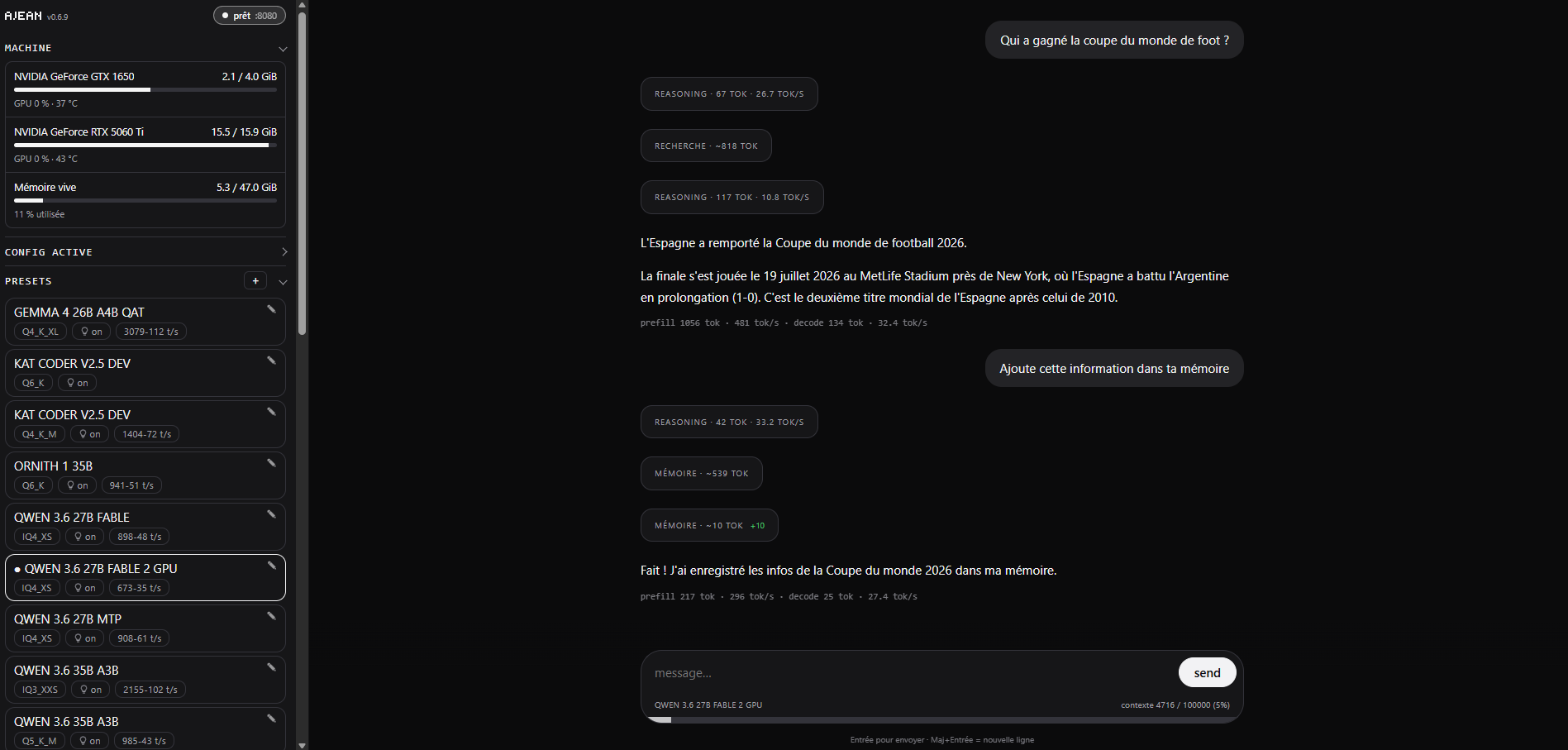
To run inference on my machine, I use AJEAN, because it is built on llama.cpp as its inference engine and offers much finer control than alternatives such as Ollama.
Model
For coding and development tasks, I mostly use the Qwen3.8-27B-UD-IQ4_XS model. It is 15.4 GB, which may seem very tight for the context, but KV cache quantization actually keeps a comfortable margin. Moreover, although quantized, the IQ4 model still manages to keep reasonably good intelligence on complex tasks. MTP (Multi-Token Prediction) is disabled, otherwise the context suffers too much and the benefits are not significant. Finally, with 16 GB of VRAM, vision is not an option without hurting the model’s intelligence.
Harness
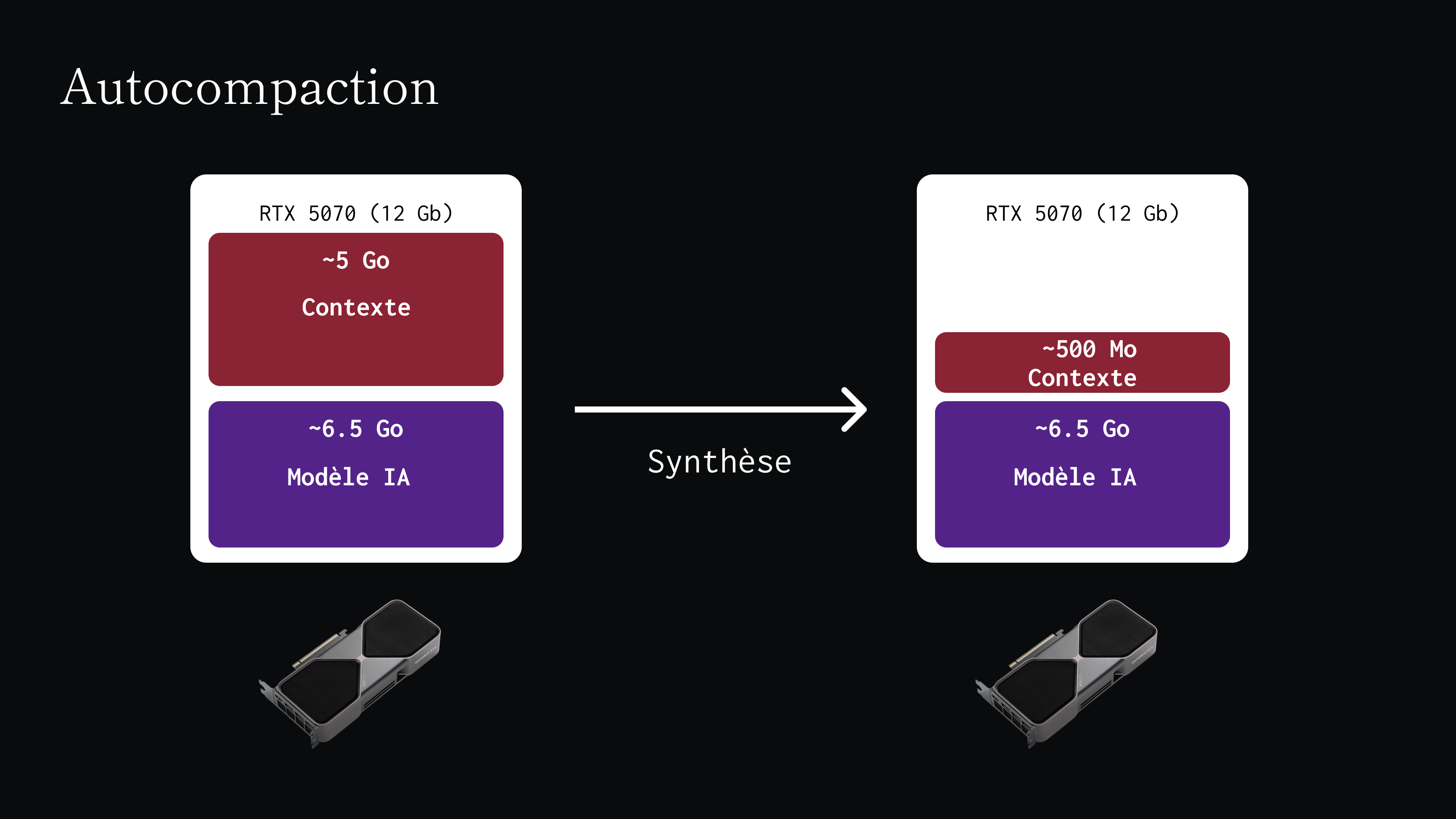
As mentioned in this note, OpenCode is not practical for local development, notably because of the initial context injected into every conversation. Therefore, I use Pi, which allows better context management. Both harness platforms have an auto-compaction feature. When the available VRAM runs out, the harness takes the entire context and performs a summarization pass. The context is then cleared, and the summary is injected in its place.
This article has been translated by AI from the french handwritten version.